utils.c. This code imports a world from a .rws file. This code only finds the first world object in a file.
    RpWorld *
    RwsLoadWorld(RwChar *filename)
    {
        RpWorld  *world = NULL;
        RwStream *stream = NULL;
        RwChar   *pathName;
        pathName = RsPathnameCreate(filename);
        /* try to read in the stream and treat as a world */
        stream = RwStreamOpen(rwSTREAMFILENAME, rwSTREAMREAD, pathName);
        if (stream)
        {
            /* Find clump chunk */
            if (RwStreamFindChunk(stream, rwID_WORLD, NULL, NULL))
            {
                /* Load the world */
                world = RpWorldStreamRead(stream);
            }
            /* close the stream */
            RwStreamClose( stream, NULL );
        }
        RsPathnameDestroy(pathName);
        return world;
    }
utils.h.
Currently main.c contains code to create a world from a bounding box. Instead, we will load a world that we have exported from 3ds max and saved to disk.
Initialize3D() function, replace the call to the CreateWorld() function with a call to RwsLoadWorld(). Pass the filename models/tutorial5.rws.
The world we created in 3ds max was 75 world units in size. Since we modeled it at the origin, the camera will be located at the very center of this world (the default position for a camera is the origin). To make the world visible, we must ensure that the far clip-plane is large enough so that the world is not clipped out.
main.c and change the initial value to 50.0f.
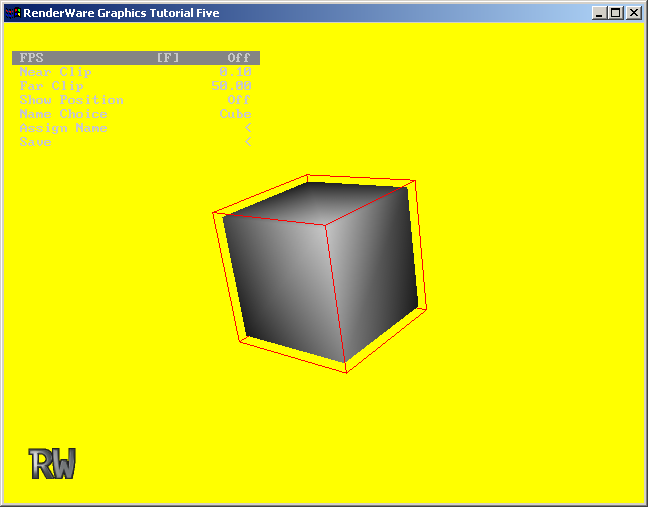
Next we will modify the camera viewing code. Currently the camera looks in the positive z-axis, and we can interact with objects placed in the world. It will be necessary to allow the camera to look around the world that we load. We will update our viewing code such that the camera can be oriented using the mouse and the right mouse button. When the right mouse button is pressed we will enter a mode that rotates the camera as the mouse moves. For the moment this rotation will be about the y-axis, enabling the camera to look left and right.
utils.h add new members to MouseMoveOperation called MMRotateCameraStart and MMRotateCamera.
win/events.c) add code to enter this new MMRotateCameraStart mode when the right mouse button is pressed, and to return to the MMNoOperation mode when it is released.
    static RsEventStatus
    HandleRightButtonDown(RsMouseStatus *mouseStatus)
    {
        /* Right mouse button down event handling... */
MouseMoveAction = MMRotateCameraStart;
        return rsEVENTPROCESSED;
    }
    static RsEventStatus
    HandleRightButtonUp(RsMouseStatus *mouseStatus __RWUNUSED__)
    {
        /* Right mouse button up event handling... */
        MouseMoveAction = MMNoOperation;
        return rsEVENTPROCESSED;
    }
main.c add code to the Idle() function to process the two new MouseMoveAction cases.
        case MMRotateCameraStart :
            RotateCamera(TRUE);
            MouseMoveAction = MMRotateCamera;
            break;
        case MMRotateCamera :
            RotateCamera(FALSE);
            break;
RotateCamera() and pass in TRUE to indicate that the camera has started moving. Then we will enter the other mode, MMRotateCamera. In this mode we will call RotateCamera() with a FALSE argument to cause the function to perform the rotation. The RotateCamera() function performs a rotation of the camera about the y-axis if this is not the first occurrence of the rotation.
    static void
    RotateCamera(RwBool first)
    {
        static RwV3d yaxis = {0.0f, 1.0f, 0.0f};
        RwFrame *f;
        RwReal dx;

        if (!first)
        {
            dx = OldPos.x - MousePos.x;

            f = RwCameraGetFrame(Camera);
            RwFrameRotate(f, &yaxis,  dx * 0.1f, rwCOMBINEPRECONCAT);
        }
        OldPos = MousePos;
    }
What you should see is a large patch of yellow with no obvious features. This represents the back wall of the world being fully illuminated by the directional light. The rest of the world illuminated by only the ambient light. The world is not very interesting.
