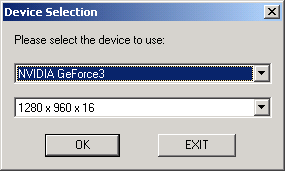
The Examples/Tutorials/Tutorial1 folder contains a Microsoft Visual C (MSVC) project file called tutorial1_win.dsp and also a GNU makefile, that you can use to get started. These files contain all the pre-processor, compiler, and linker settings to allow a basic RenderWare Graphics project to be compiled and linked. They also contain the necessary skeleton files and a simple main.c.
Open the MSVC project. One thing to note is that the active configuration may need changing. This can be done by clicking on the 'Build' menu and going down to 'Set Active Configuration'. This will bring up a dialog box where you can change the active configuration. Select the "Win32 D3D8 Debug" configuration if you are not sure which to use.
Build the project. An executable tutorial1_d3d8d.exe should be created. (If any thing goes wrong, then it indicates a configuration problem - these tutorials are meant to be bullet proof. For help, create a ticket on the Fully Managed Support System (FMSS), which can be found at https://support.renderware.com/.)
Run this executable. As the application starts up it will display up a dialog asking you to select a video mode. Use the first mode in the combo box, which will be a windowed display.
You should then see a new window open, as shown below.
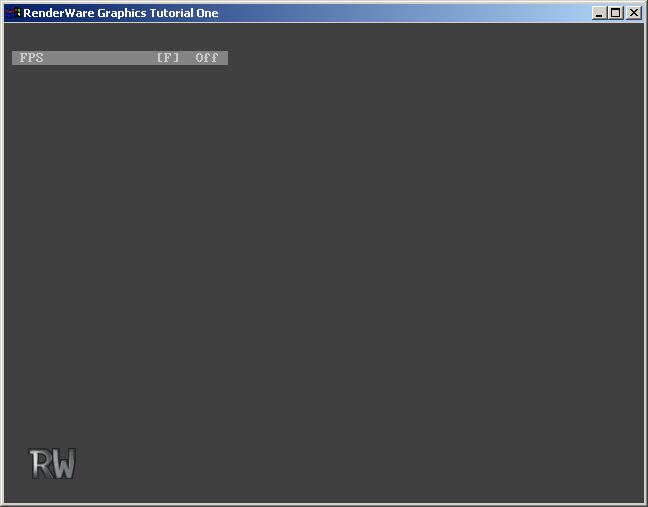
At this point the application does not look very interesting. Code-wise, however, it is doing everything necessary to start RenderWare Graphics on a PC.
Pressing the escape key should close the window down, which closes RenderWare Graphics down for you. This start-up and shut-down procedure is being handled for you by the skeleton code. As you develop your own applications using RenderWare Graphics you will need to learn these procedures. For the moment it is more interesting to use RenderWare Graphics rather than worry about how to interface to Windows.
Take a moment to look at the main.c file supplied. At the bottom of the file is a function called AppEventHandler(). The skeleton is an event driven application; our application will provide functions that are executed in response to events generated by the skeleton. Other functions to note are the Idle() function called by the event handler when no other events are pending, and the Initialize3D() function that creates a world and a camera. Bear in mind that it is the skeleton that implements this event handling, and not RenderWare Graphics. All that the skeleton is doing is mapping Win32 event to skeleton events, and passing these to the application.
 © 1993-2004 Criterion Software Limited. All rights reserved. Built Thu Feb 12 13:46:57 2004.
Send Feedback
© 1993-2004 Criterion Software Limited. All rights reserved. Built Thu Feb 12 13:46:57 2004.
Send Feedback