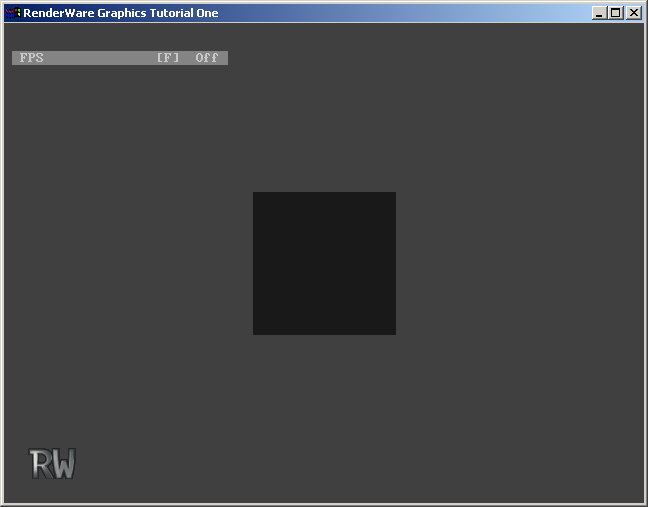
utils.c and add the following code. You will need a header file utils.h as well.
#include <rwcore.h>
#include <rpworld.h>

#include "skeleton.h"
#include "utils.h"

RpClump *
DffLoad(RwChar *filename)
{
    RwStream    *stream = NULL;
    RpClump     *clump = NULL;
    RwChar      *pathName;

    /* Open stream */
    pathName = RsPathnameCreate(filename);
    stream = RwStreamOpen(rwSTREAMFILENAME, rwSTREAMREAD, pathName);
    if (stream)
    {
        /* Find clump chunk */
        if (RwStreamFindChunk(stream, rwID_CLUMP, NULL, NULL))
        {
            /* Load clump */
            clump = RpClumpStreamRead(stream);
        }

        /* close the stream */
        RwStreamClose( stream, NULL );
    }
    RsPathnameDestroy(pathName);

    return (clump);
}
utils.h.
    #ifndef UTILS
    #define UTILS
    /* Function prototypes */
    #ifdef    __cplusplus
    extern "C"
    {
    #endif                          /* __cplusplus */
    #ifdef    __cplusplus
    }
    #endif                          /* __cplusplus */
#endif /* UTILS */
Now we will modify the application further to call this new DFFLoad() function in response to an F1 key press. To implement this, follow these instructions:
main.c you will see the rsINPUTDEVICEATTACH event in the AppEventHandler() function. When this event occurs the application calls AttachInputDevices() in the win/events.c file. Look at this function now.
    RwBool
    AttachInputDevices(void)
    {
        RsInputDeviceAttach(rsKEYBOARD, KeyboardHandler);
        RsInputDeviceAttach(rsMOUSE, MouseHandler);
        return TRUE;
    }
KeyboardHandler() function in win/events.c is called to process all keyboard events. The RsInputDeviceAttach() function used here is a skeleton function (hence the Rs prefix) that can register keyboard and mouse event processing functions. Win32 WM_KEYDOWN and WM_KEYUP events are mapped by skeleton code to skeleton rsKEYDOWN and rwKEYUP events. This means that the KeyboardHandler() function can be platform-independent.
KeyboardHandler() function (also in win/events.c).
    static RsEventStatus
    KeyboardHandler(RsEvent event, void *param)
    {
        /* Let the menu system have a look-in first...  */
        if( MenuKeyboardHandler(event, param) == rsEVENTPROCESSED )
        {
            return rsEVENTPROCESSED;
        }
        /* ...then the application events, if necessary... */
        switch( event )
        {
            case rsKEYDOWN:
            {
                return HandleKeyDown((RsKeyStatus *)param);
            }
            case rsKEYUP:
            {
                return HandleKeyUp((RsKeyStatus *)param);
            }
            default:
            {
                return rsEVENTNOTPROCESSED;
            }
        }
    }
    /* End of KeyboardHandler function */
HandleKeyDown() function:
    static RsEventStatus
    HandleKeyDown(RsKeyStatus *keyStatus)
    {
        switch( keyStatus->keyCharCode )
        {
            case rsUP:
            {
                /* CURSOR-UP... */
                return rsEVENTPROCESSED;
            }
            case rsDOWN:
            {
                /* CURSOR-DOWN... */
                return rsEVENTPROCESSED;
            }
            case rsLEFT:
DffLoad() function in response to an F1 key press:
    static RsEventStatus
    HandleKeyDown(RsKeyStatus *keyStatus)
    {
        switch( keyStatus->keyCharCode )
        {
            case rsF1:
            {
                RpClump *clump = DffLoad("models/cube.dff");
                if (clump)
{
                    RpWorldAddClump(World, clump);
                }
                    return rsEVENTPROCESSED;
            }
            case rsUP:
rpworld.h header file and also the utils.h header file. Because the code we have just added uses an application global variable called World, you should add an extern declaration for it to the utils.h file.
    #ifndef UTILS
    #define UTILS
    extern RpWorld *World;
    /****************************************************************************/
    /* Function prototypes */
HandleKeyDown() function to confirm this. There are two reasons that the clump is not displayed. Firstly, the tutorial code currently does no rendering, and secondly, to make the clump visible it needs to be positioned in front of the camera. By default, cameras and clumps live at the origin.
The code to make the cube visible is easy to write. We will position the clump such that it is five units in front of the camera, and ensure that the objects in the application are rendered.
HandleKeyDown() function that you have just added:
    static RsEventStatus
    HandleKeyDown(RsKeyStatus *keyStatus)
    {
        switch( keyStatus->keyCharCode )
        {
            case rsF1:
            {
                RpClump *clump = DffLoad("models/cube.dff");
                if (clump)
                {
                    RwV3d v = {0.0f, 0.0f, 5.0f};
                    RwFrameTranslate(RpClumpGetFrame(clump), &v, rwCOMBINEREPLACE);
                    RpWorldAddClump(World, clump);
                }
                    return rsEVENTPROCESSED;
            }
            case rsUP:
Render() function in main.c. This is called each frame to render the scene you see in the application window. After the "Scene rendering here..." comment, make a call to RpWorldRender() as shown below:
    static void
    Render(void)
    {
        RwCameraClear(Camera, &BackgroundColor, rwCAMERACLEARZ|rwCAMERACLEARIMAGE);
        if( RwCameraBeginUpdate(Camera) )
        {
            if( MenuGetStatus() != HELPMODE )
            {
                /*
                 * Scene rendering here...
                 */
                RpWorldRender(World);