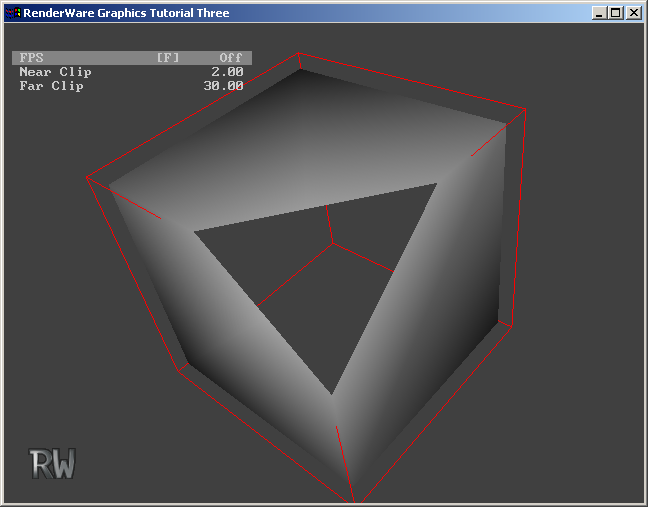
InitializeMenu() function in main.c. After opening the menu, the code adds a single entry that is used to toggle the state of the frames-per-second display.
if( MenuOpen(TRUE, &ForegroundColor, &BackgroundColor) )
{
MenuAddEntryBool(fpsLabel, &FPSOn, NULL);
return TRUE;
}
return FALSE;
}
MenuAddEntryReal() function for this.
InitializeMenu() function to add two new menu entries, one each for the near and far clip planes:
static RwBool InitializeMenu(void) { static RwChar fpsLabel[] = RWSTRING("FPS_F"); static RwChar nearLabel[] = RWSTRING("Near Clip"); static RwChar farLabel[] = RWSTRING("Far Clip");
        if( MenuOpen(TRUE, &ForegroundColor, &BackgroundColor) )
        {
            MenuAddEntryBool(fpsLabel, &FPSOn, NULL);
MenuAddEntryReal(nearLabel, &NearClip, NULL, 0.1f, 10.0f, 0.1f);
MenuAddEntryReal( farLabel, & FarClip, NULL, 10.0f, 100.0f, 1.0f);
            return TRUE;
        }
        return FALSE;
    }
Render() function to use the user-supplied near and far clip-plane values:
    static void
    Render(void)
    {
        RwCameraSetNearClipPlane(Camera, NearClip);
        RwCameraSetFarClipPlane(Camera, FarClip);
        RwCameraClear(Camera, &BackgroundColor, rwCAMERACLEARZ|rwCAMERACLEARIMAGE);
if( RwCameraBeginUpdate(Camera) )